Nexo user documentation
Nexo is an object store compatible with the Amazon S3 API: a single binary (nexo) contains the
S3 server, the Admin API and the web console; nexoctl is the CLI for data and administration. The same
binary runs on a single drive, on multiple drives with erasure coding, and as a multi-node cluster.
This guide is for those who install, use and operate Nexo. The project documents (architecture, roadmap,
test plan) are in docs/ in the repository.
The web console
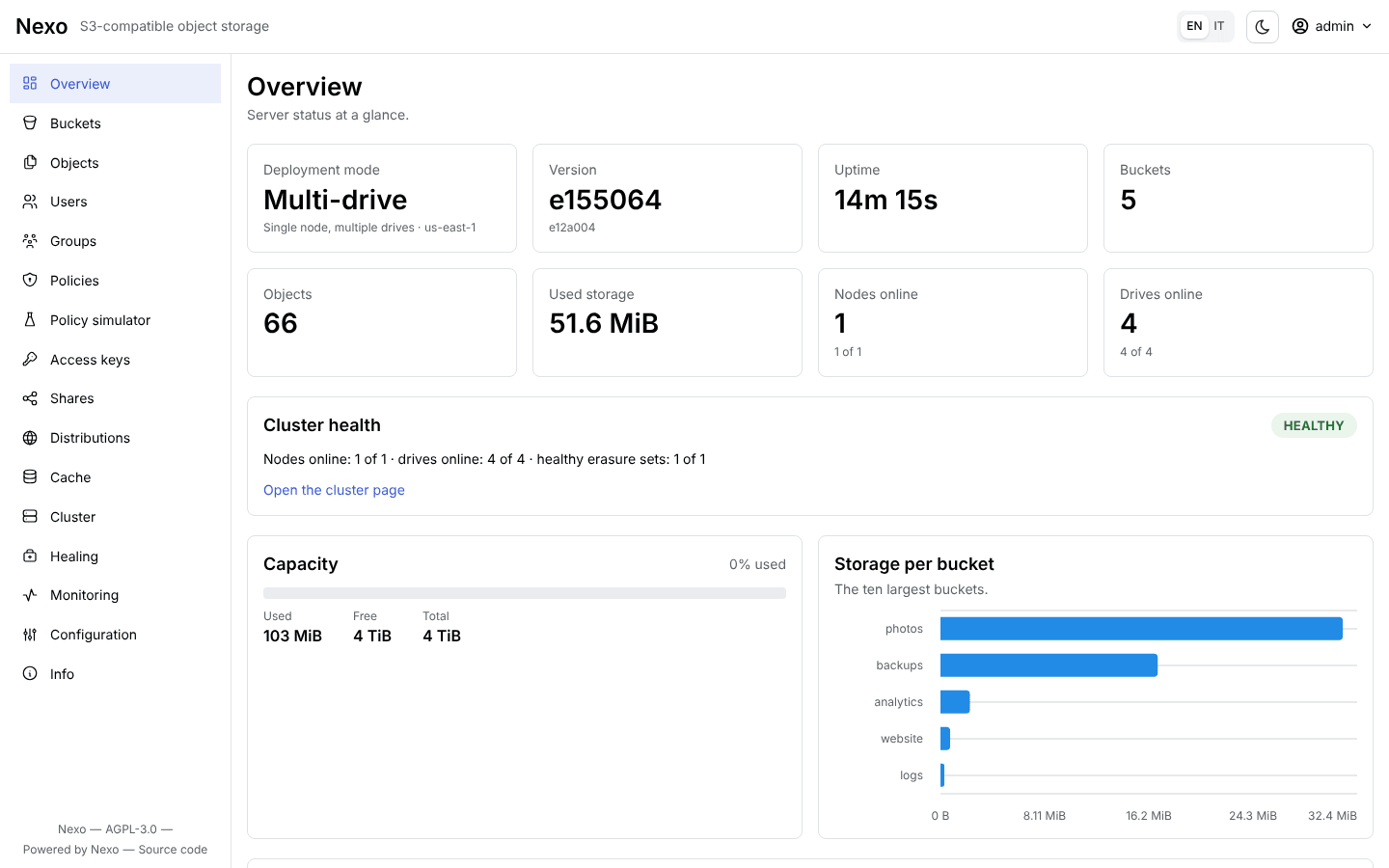
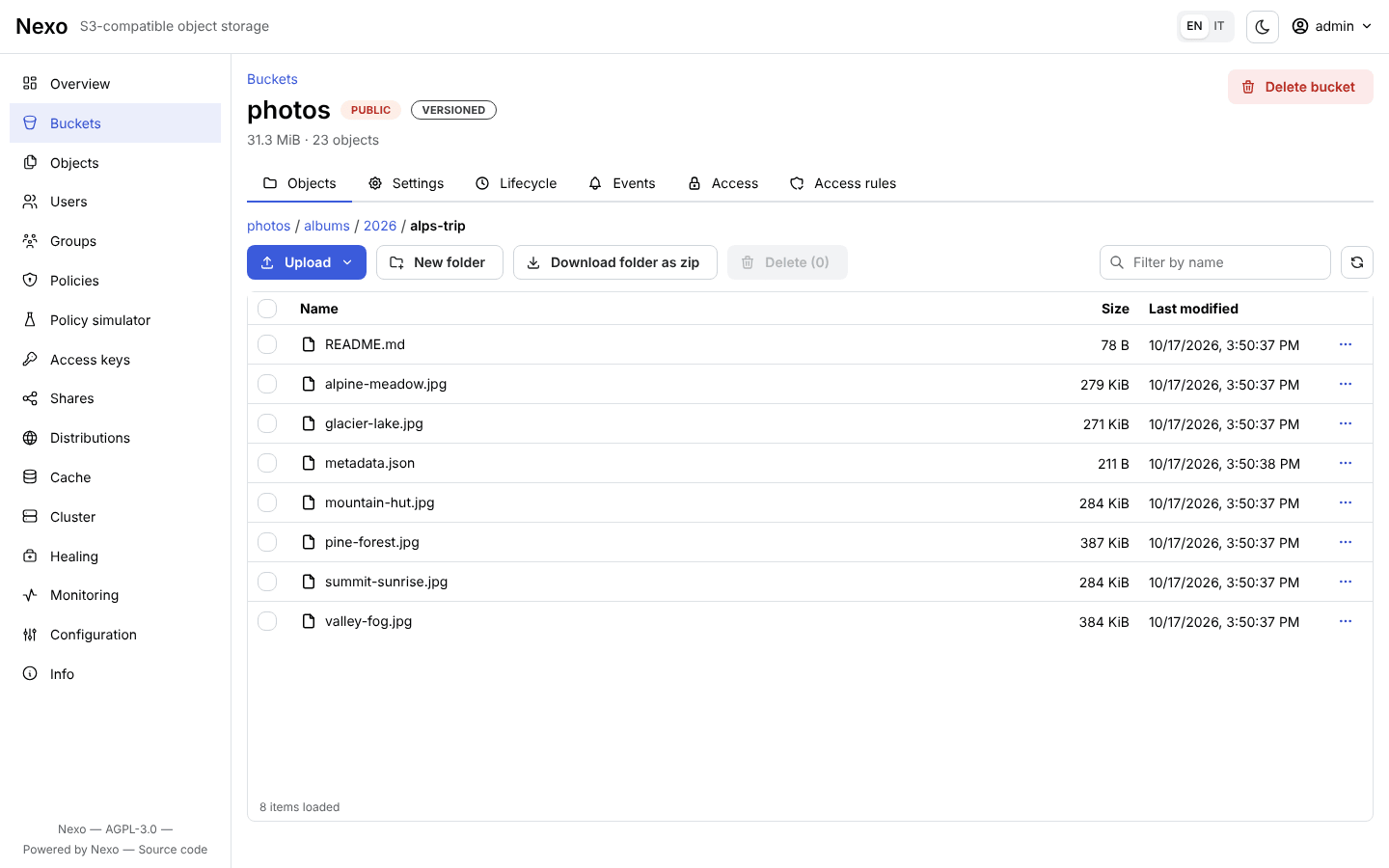
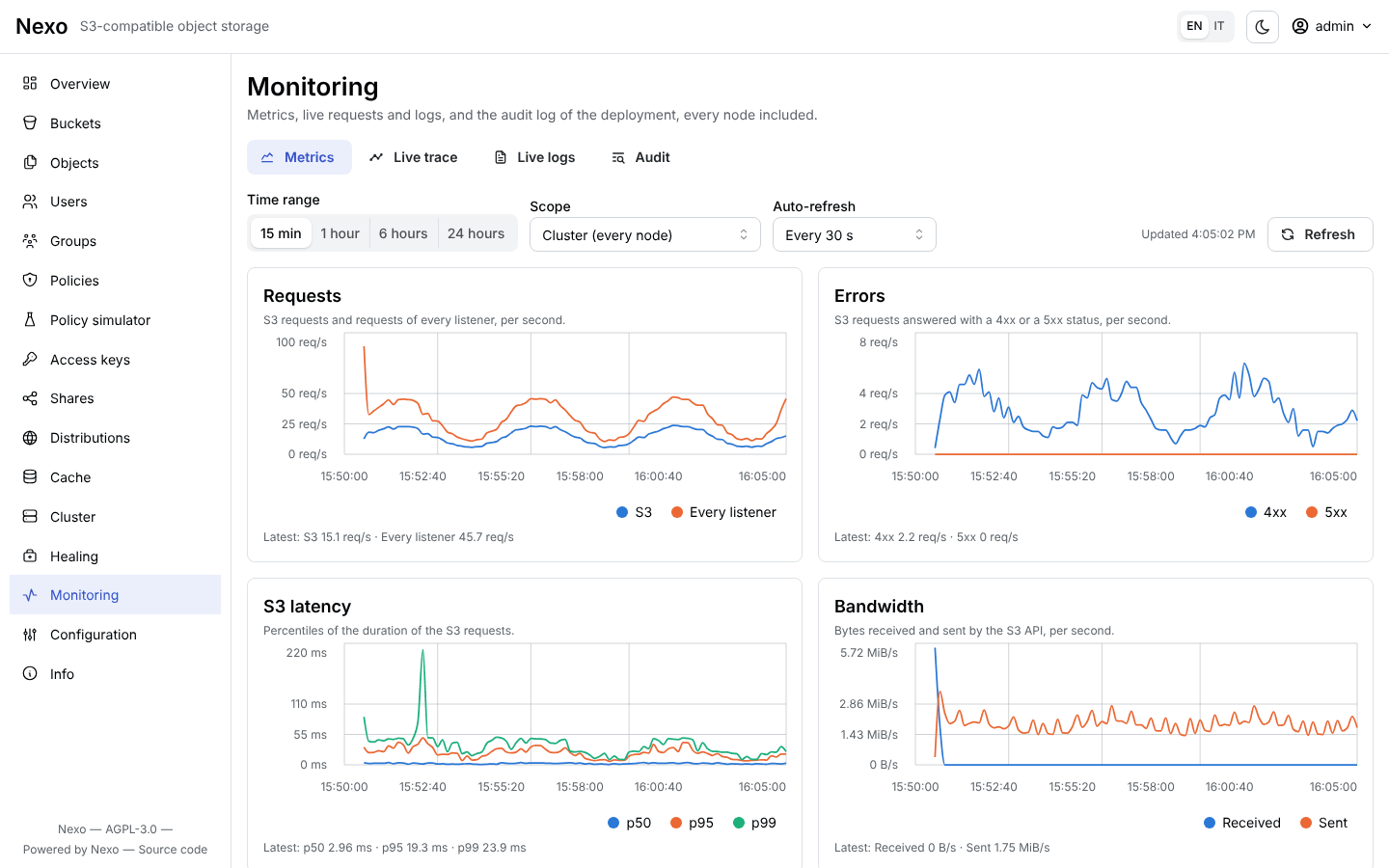
The console is served by the same binary on the console port (9001 by default): buckets and objects,
users and policies, sharing, distributions and their cache, metrics and the health of the drives. It
signs in with the same access keys as the S3 API.
| Object browser |
Monitoring |
 |
 |
Where to start
Operations guide
| Topic |
Page |
| Health checks, Prometheus metrics, Grafana, alerts |
Monitoring |
| Live trace and logs, audit log, OpenTelemetry |
Trace, logs and audit |
| Healing, replacing a drive |
Healing and disks |
| Rolling upgrade, expansion with a new pool |
Upgrade and expansion |
| Configuration backup, migration between modes |
Backup and migration |
| Quorum, clock skew, slow drives, permissions |
Troubleshooting |
Security
| Topic |
Page |
| Users, groups, policies (ready-made examples), access keys, STS |
Users, policies and credentials |
| Share links, presigned URLs, POST policies, anonymous access |
Sharing and anonymous access |
| Access rules with prefix, glob and regex |
Access rules |
| TLS, certificates, mTLS between nodes |
TLS and certificates |
| KMS, server-side encryption, key rotation |
KMS and SSE |
| Threats and mitigations |
Threat model |
Features
Reference
Conventions
- The examples use the alias
local (see Quickstart), the root user
admin and the password supersecret: in production use a long, random password.
- The default ports are 9000 (S3 API, health, metrics, RPC between nodes) and 9001 (console and
Admin API).
- The pages say when a behavior depends on the mode; unless noted otherwise, it applies to
SNSD, SNMD and cluster.
- The site of this documentation is built with
make docs-site (MkDocs Material, see
CLI reference).
- Every page has an Italian translation next to it (
<page>.it.md); on the site, use the language
selector.